

How to Choose the Best UV DTF Machine for Your Business?
Choosing the right Uv Dtf Machine requires more than comparing purchase prices. It demands a clear view of your products, order volume, artwork complexity, and available workspace. A machine producing bright stickers may still struggle with thick ink layers, poor film feeding, or demanding color matching. Those small failures become expensive during a busy production day.
Industry data supports careful investment. Grand View Research’s Digital Printing Market report identifies continued growth in digital printing through 2030, driven by customization and shorter production runs. Smithers’ research on digital print also highlights increasing demand for flexible, personalized applications. However, these reports cover broad digital printing markets. They do not guarantee that every UV DTF business will achieve similar growth. That distinction matters.
A reliable evaluation should begin with real samples. Print a curved bottle, a textured phone case, and a dark promotional item. Check adhesion after washing, rubbing, and temperature changes. Measure practical output, not only the manufacturer’s advertised speed. A machine using white ink may deliver stronger colors, but it can also require stricter maintenance and more frequent cleaning. Ask about printhead availability, software support, curing consistency, ventilation requirements, and warranty response times. These details often matter more than a polished showroom demonstration.
There is no perfect machine.
The best choice balances quality, service, operating cost, and your actual sales pipeline. This guide explains how to compare Uv Dtf Machine specifications, calculate realistic ownership costs, and avoid decisions based only on attractive marketing claims.
Define the UV DTF Workflow and Its 395–405 nm UV-Curing Requirements
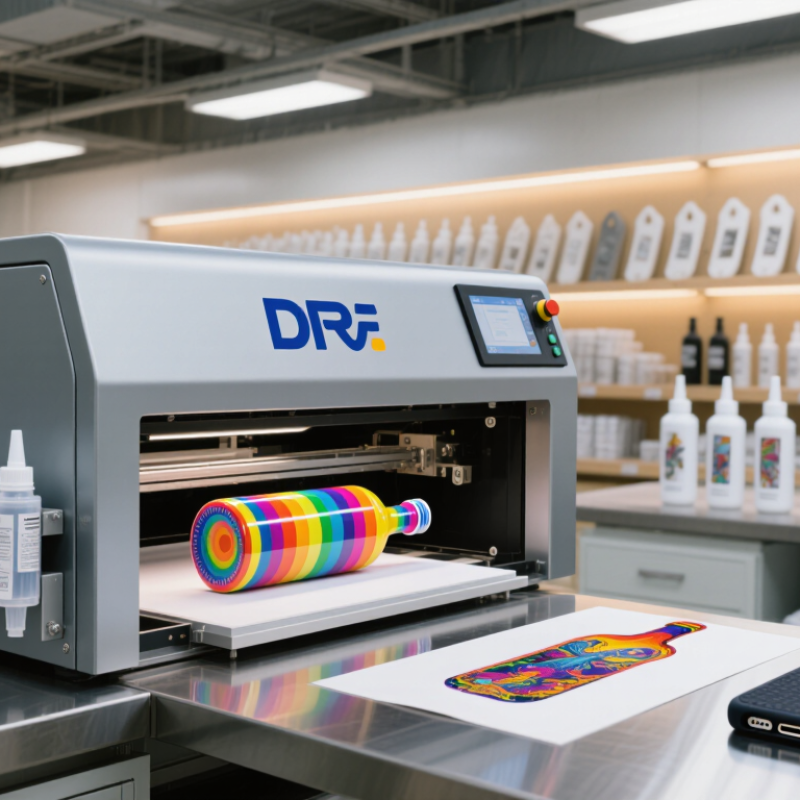
A UV DTF machine should be chosen around its complete workflow, not its print speed alone. The process usually prints color, white, and varnish onto an A film. UV LEDs then cure each layer before adhesive B film is laminated. The finished transfer is pressed onto glass, metal, plastic, or coated surfaces. Small workflow gaps can create large quality problems.
Most UV DTF systems use 395–405 nm UV-Curing LEDs. However, wavelength alone does not guarantee reliable curing. RadTech technical guidance emphasizes three controls: wavelength, irradiance, and total energy dose. A 2024 Smithers UV LED curing market report also highlights energy efficiency and longer operating life as major adoption factors. Ask suppliers for measured irradiance and dose data, not only “high-power” claims. Also check whether the ink’s photoinitiator package matches the LED output. Some glossy varnishes may appear cured but remain soft underneath. That is easy to miss.
Tips: Test a complete transfer, not a color chart. Rub the cured surface, bend the film, and inspect edge lifting after 24 hours. Use a calibrated radiometer when possible. 395 nm may cure faster, while 405 nm can offer smoother surface control, but results depend on ink chemistry and lamp intensity. I would not select a machine from wavelength alone. Maintenance access matters too. A slightly slower system with stable curing may produce fewer rejected transfers.
Match Business Volume with 30–60 cm Print Widths and 2–10 m²/h Output
UV DTF selection starts with volume, not a showroom’s maximum speed. Smithers’ digital print market research identifies personalization and short-run production as important growth drivers. That trend favors flexible equipment. A 30 cm print width suits names, logos, phone cases, and small promotional orders. A 60 cm width fits larger graphics and reduces repeated passes.
Rated output needs careful interpretation. A machine producing 2–10 m²/h can deliver 16–80 m² during an eight-hour shift. Real production is lower. Cleaning, film loading, curing checks, and artwork changes consume time. At 60% practical utilization, the same shift produces about 9.6–48 m². That is a more useful planning figure. FESPA’s Print Census also highlights changing job requirements and shorter production cycles across commercial printing. Speed alone may not protect your margins.
Match the machine to weekly demand. A small studio handling 100–200 m² monthly may value a 30 cm model with stable color control. A busy customization shop may need 60 cm width and output near 10 m²/h. Check white-ink circulation, adhesion tests, curing consistency, and operator training. Ask for production samples using your actual films and artwork. One overlooked issue remains substrate variation. Some surfaces look perfect at first, then fail after handling. That possibility deserves a realistic allowance.
How to Choose the Best UV DTF Machine for Your Business?
Match expected business volume with print widths from 30–60 cm and output capacity from 2–10 m²/h.
Use a 30 cm system for lower-volume orders, while 40–60 cm systems are better suited to regular production and higher daily demand. The output figures are practical planning reference points within the 2–10 m²/h range; actual production depends on resolution, ink coverage, curing settings, media, and operator workflow.
Compare 1,440 dpi Resolution, CMYK+W Ink, Varnish, and Layer Control
Choosing the best UV DTF machine starts with your actual production needs, not the highest number on a specification sheet. A 1,440 dpi resolution can produce fine lettering, small icons, and smoother gradients. However, resolution alone does not guarantee sharp transfers. Ink control, printhead condition, film quality, and curing accuracy also matter. Inspect sample decals under bright light. Look for clean edges, even color, and minimal white haloing.
CMYK+W ink expands your practical color range while white ink supports dark or transparent surfaces. White density must remain consistent across each sheet. Otherwise, colors may appear dull or uneven. Varnish can add gloss, texture, or spot effects to selected areas. Ask whether the machine supports adjustable varnish coverage. Full gloss is attractive, but excessive coating may reduce readability on fine details.
Layer control deserves close attention. Independent control of color, white, and varnish layers helps you create raised effects and precise finishes. It also reduces unnecessary ink use during small-batch testing. I once focused too heavily on resolution and overlooked software workflow. That mistake slowed production more than expected. Before buying, test your own artwork, including thin lines, gradients, and white-on-dark designs. Measure transfer time, waste, maintenance effort, and adhesion after application. A machine that looks impressive in a showroom may still feel inefficient during a busy workday.
How to Choose the Best UV DTF Machine for Your Business? - Compare 1,440 dpi Resolution, CMYK+W Ink, Varnish, and Layer Control
| Machine Configuration | Typical Print Width | Maximum Resolution | Ink Configuration | White Ink Management | Varnish Capability | Layer Control | Typical Production Speed | Best-Suited Applications | Key Buying Consideration |
|---|---|---|---|---|---|---|---|---|---|
| Compact Entry-Level UV DTF | Approximately 300 mm | Up to 1,440 dpi, depending on print mode and printhead | CMYK + White | White-ink circulation or periodic agitation is commonly required | Usually unavailable or limited | Basic color and white-ink layer selection; limited spot control | Approximately 1–3 m²/h in quality-oriented modes | Small personalized orders, labels, gift items, bottles, phone cases, and sample production | Lower initial investment, but lower throughput and fewer finishing effects |
| Standard Business UV DTF | Approximately 600 mm | Up to 1,440 dpi in high-quality print modes | CMYK + White + Varnish | Continuous circulation is recommended to reduce settling and nozzle blockage | Integrated spot or full-area varnish printing | Independent control of color, white, and varnish layers through RIP software | Approximately 3–8 m²/h, depending on resolution and ink coverage | Custom packaging, promotional products, ceramics, coated metal, glass, acrylic, and short-run commercial work | Balanced choice for businesses needing both productivity and premium gloss effects |
| High-Productivity UV DTF | Approximately 600–700 mm | Up to 1,440 dpi; production speed normally increases when using a lower print mode | CMYK + White + Varnish, often with multiple ink channels | Continuous circulation, controlled temperature, and automated maintenance are strongly preferred | Spot varnish, flood varnish, and selective gloss effects | Advanced multi-layer sequencing, white density adjustment, and varnish masking | Approximately 6–15 m²/h, depending on configuration and coverage | Retail orders, contract decoration, large batches of promotional goods, and recurring B2B production | Higher output requires reliable film feeding, curing consistency, ventilation, and maintenance procedures |
| Special-Effect UV DTF System | Approximately 300–600 mm | Up to 1,440 dpi for detailed graphics and fine text | CMYK + White + Varnish; some configurations support additional effect channels | White ink circulation and automated cleaning are important for stable opacity | High-gloss, textured, raised, or selective varnish effects may be supported | Precise control of color, white, varnish, and effect layers | Approximately 2–8 m²/h because multiple layers require additional passes | Premium branding, luxury packaging, decorative panels, textured logos, and high-value custom products | Choose this configuration when visual impact and product differentiation matter more than maximum speed |
Calculate Cost per Transfer from Ink, Film, Labor, and Maintenance
Choosing a UV DTF machine starts with cost per transfer, not machine price. FESPA’s 2023 Print Census reported that 83% of respondents expected business growth. That growth can expose weak pricing quickly.
Calculate each transfer using this formula:
ink cost + film cost + labor + maintenance allowance
Measure ink usage from actual production, not supplier estimates. For example, 12 milliliters of ink at $0.08 per milliliter costs $0.96. Add two square feet of film at $0.35 per square foot, creating a $0.70 film cost.
If an operator earns $20 hourly and handles 60 transfers, labor adds $0.33 each. A maintenance allowance of $0.15 brings the estimated cost to $2.14. Keep waste visible. A 10% failed-transfer rate raises the effective cost to about $2.38.
The PRINTING United Alliance 2024 State of the Industry report identifies labor and material costs as continuing business pressures. Record cleaning time, nozzle checks, and replacement parts monthly. My first spreadsheet ignored setup minutes, and the margin looked better than reality. That mistake was expensive. Review at least 100 transfers before selecting equipment. Compare usable output, not advertised speed. A slower machine with stable alignment may produce a lower cost per successful transfer. Calculate electricity separately when production runs are long. Small differences matter at scale.
Verify Adhesion Using ASTM D3359 and Check UV-Ink Safety Compliance
How to Choose the Best UV DTF Machine for Your Business?
Adhesion should be tested on the materials you actually sell. A transfer that grips glass may fail on coated metal or textured plastic. Use ASTM D3359 as a practical screening method. Apply the cured transfer, make a crosshatch pattern, and press approved pressure-sensitive tape over it. Remove the tape at a controlled angle, then inspect the grid under good lighting. The 0B to 5B rating shows how much coating has detached. Higher is better, but the number needs context.
Test several samples, not just one perfect piece. Include freshly printed transfers and samples stored for several days. Temperature, cleaning chemicals, and surface oils can change the result. ASTM D3359 does not predict every real-world condition. That limitation matters.
Ink safety deserves equal attention. Ask for a current Safety Data Sheet, ingredient information, curing requirements, and compliance statements for your market. Operators should use ventilation, protective gloves, and eye protection when handling uncured ink. Fully cured prints still need appropriate handling checks. Some applications, such as packaging or children’s products, may require additional testing. Do not assume “UV cured” means automatically safe. It does not.
A sensible buying decision combines adhesion results, curing consistency, documentation, and operator training. Keep test records with substrate type, ink batch, curing settings, and environmental conditions. Small details reveal weak processes. I would also repeat testing after machine maintenance, because print performance can shift quietly. That is easy to overlook.
