

What Is a Commercial Printing Machine Used For?
A Commercial Printing Machine turns a prepared design into repeatable printed work, from product labels and folded brochures to catalogs, manuals, and packaging. The machine may use offset, digital, or another process, depending on the job. Paper sheets feed through rollers or digital imaging systems; ink or toner forms the image, and finishing equipment can trim, fold, bind, or coat the result. The details matter. A slight color shift across thousands of pages can affect a whole order.
Printing educator and industry analyst Frank Romano has discussed how print technology must respond to changing production needs. A fair paraphrase of that principle is: “Choose the press for the job, not the other way around.” That idea helps explain why commercial machines are built for consistency, speed, material range, or short-run flexibility. No single press excels at everything. A digital machine may suit personalized, smaller runs, while an offset press can be efficient for large quantities with stable artwork.
This article explores what commercial printing machines are used for, how their main types differ, and where they fit in real production workflows. It also considers the practical choices behind a purchase, including print volume, substrate, color requirements, finishing, and operator skill. The answer is not always obvious. A faster machine can still be the wrong choice if setup, waste, or maintenance outweighs its output. Knowing the job comes first.
What Defines a Commercial Printing Machine?
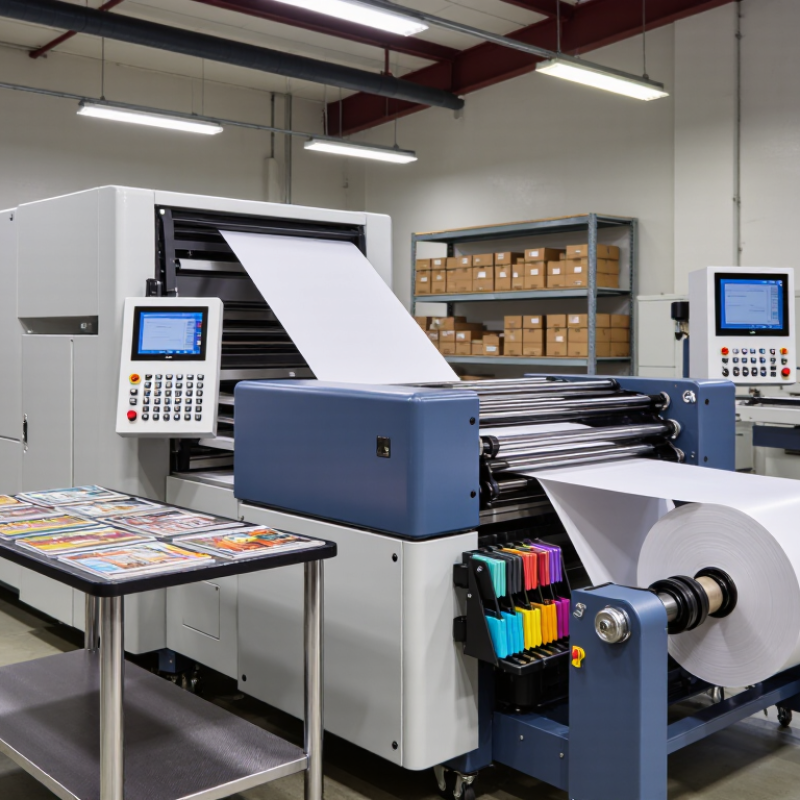
A commercial printing machine is defined by the work it is built to perform: producing repeatable, customer-ordered print at useful volume, consistent quality, and a workable cost per copy. It may use offset, digital, flexographic, or screen technology; no single process defines the category. The machine typically supports a production workflow, from loading paper or other stock to color control and finishing. Not just a copier.
A practical example is a print shop producing 5,000 folded menus. The machine must hold color across the run, manage the chosen paper, and feed sheets reliably. A fast press that wastes stock or needs constant adjustment may be a poor commercial choice. The boundary is not perfectly neat, and buyers can over-focus on speed. Job mix, setup time, operator skill, and finishing needs also matter.
Industry data reflects this varied role. Smithers’ report The Future of Digital Printing to 2032 estimated the global digital print market at $167.5 billion in 2022 and projected $251.1 billion by 2032. That growth helps explain why commercial production now includes both digital and conventional presses. Still, a market forecast does not tell a shop which machine fits its orders. Match the equipment to actual run lengths, substrates, color requirements, and deadlines.
What Is a Commercial Printing Machine Used For? - What Defines a Commercial Printing Machine?
| Printing Process | What the Machine Does | Common Commercial Uses | Typical Materials | Key Considerations |
|---|---|---|---|---|
| Offset lithography | Transfers an inked image from a plate to a rubber blanket, then onto the printing surface. | Books, magazines, catalogs, brochures, and large runs of business materials. | Primarily paper and paperboard. | Plate preparation makes setup more involved, but the process is often cost-effective for longer runs. |
| Digital toner printing | Uses electrostatic imaging and toner, which is fused to the sheet with heat and pressure. | Short-run books, flyers, manuals, personalized mail, and on-demand documents. | Compatible paper stocks and selected specialty media, depending on the machine. | Supports quick jobs and variable data without printing plates; production speed and media choices vary by equipment. |
| Digital inkjet printing | Places controlled droplets of ink directly onto a substrate, often in sheet-fed or continuous-feed systems. | Posters, direct mail, books, packaging graphics, signs, and customized print jobs. | Coated or uncoated papers and, on suitable systems, films, textiles, or other materials. | Substrate compatibility, ink type, drying or curing, and image quality depend on the system. |
| Flexographic printing | Uses flexible relief plates and fast-drying inks to print on a moving web or sheet. | Labels, flexible packaging, cartons, corrugated packaging, and some paper products. | Paper, paperboard, films, foils, and other compatible packaging substrates. | Well suited to repeat production; plate preparation and setup are part of the workflow. |
| Gravure printing | Transfers ink from tiny recessed cells engraved into a cylinder onto the substrate. | Very long runs of packaging, decorative materials, and selected publication products. | Paper, films, and foils used in compatible web-printing applications. | Cylinder preparation requires substantial setup, so it is generally suited to long, repeat runs. |
| Screen printing | Pushes ink through open areas of a mesh stencil onto the material below. | Posters, signs, garments, promotional products, and specialty graphics. | Paper, fabric, plastic, glass, metal, and other suitable surfaces. | Can deposit relatively thick ink layers; setup, drying, and material handling vary by job. |
Definition: A commercial printing machine is production equipment designed to reproduce text or images on paper or other materials for business, publishing, packaging, or promotional use. It may print from plates, cylinders, screens, or digital files. The right process depends on factors such as quantity, material, image requirements, turnaround time, and finishing needs.