

Quality Mold

Top 10 HDMI Over Network Extenders for 2026?

Choosing an Hdmi Over Network extender is not just a matter of picking the longest advertised distance. The right system must carry a stable picture, preserve audio, and fit the network already installed. Some models use dedicated point-to-point links; others depend on managed Ethernet switches and careful bandwidth planning. Those differences affect installation time, image quality, and future expansion. Real rooms differ. A device that works neatly in a small meeting room may struggle across several switches, long cable runs, or busy network traffic. Details matter.

This guide compares ten HDMI over network extenders for 2026, focusing on practical features: supported resolution, latency, audio handling, control options, power requirements, and setup complexity. AV systems author John Huntington’s work emphasizes planning signal flow before selecting equipment. A concise editorial paraphrase of that principle is: “Map the signal path before choosing the hardware.” This is a paraphrase, not a verbatim quotation. That distinction matters when evaluating technical advice. The comparisons ahead aim to make product claims easier to assess, while recognizing that published specifications cannot replace testing in your own environment. Check compatibility with your source devices, displays, and network switches before buying. A little caution now can prevent a black screen during a presentation.
Top 10 HDMI Over Network Extenders for 2026?

Define HDMI-over-IP Extenders by Their Signal Path and Network Architecture

Top 10 HDMI Over Network Extenders for 2026?

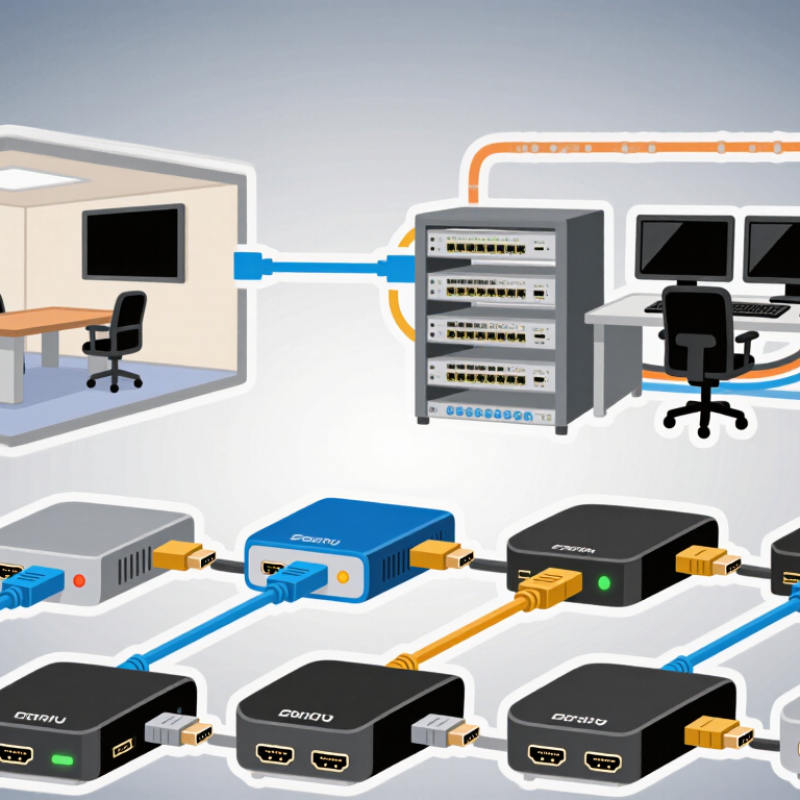
An HDMI-over-IP extender moves video through a defined chain: source HDMI, transmitter, Ethernet network, receiver, then display. The transmitter encodes or packetizes the signal; the receiver reconstructs it for the screen. This differs from a point-to-point extender that merely uses network-style cable. The connector alone proves little. Check the transport method, not just the product label.

Network architecture affects how many screens a system can serve. A direct link may suit one source and one display, while a switched network can route sources to multiple receivers. Unicast sends a separate stream to each destination; multicast can distribute one stream to several, but requires suitable switch configuration. Not always. Poor multicast settings can cause blank screens or uneven playback. Confirm bandwidth, switch support, and receiver compatibility before installation.

The signal path also shapes practical performance. Compression can reduce network load, but may add delay or soften fine text. For presentations, even a slight delay can make cursor movement feel wrong. Check supported resolution, frame rate, audio formats, and HDCP handling across the whole chain. EDID behavior matters too: mismatched display capabilities may cause an unexpected resolution. Specifications help, but a real test with the intended source, network, and display is more dependable. I would not assume every “4K” claim means identical image quality or latency.

Compare 10 Extenders Against the 100 m Copper Ethernet Channel Limit

Top 10 HDMI Over Network Extenders for 2026?
Compare 10 Extenders Against the 100 m Copper Ethernet Channel Limit

A 100 m cable claim needs context. TIA-568.2-D and ISO/IEC 11801 cabling standards specify a 100 m channel for balanced copper cabling, typically including a 90 m permanent link and up to 10 m of patch cords. That is the baseline. An HDMI extender’s advertised reach does not automatically mean it meets Ethernet channel requirements. Some systems use category cable but send proprietary signals rather than standard Ethernet traffic.

Compare ten extenders by testing them on the same certified cable run, then record resolution, refresh rate, chroma format, latency, and link stability. Check performance near 90 m and again at 100 m, including the patch cords. A picture that appears on screen is not the whole test; brief dropouts can hide during a quick check. Cable category, connectors, bends, and electrical interference can all change results. Small details matter.

Treat manufacturer distance figures as screening data, not guarantees. An extender may carry a lower-bandwidth signal farther than a high-resolution, high-refresh-rate feed. That trade-off deserves a clear note in any comparison. I would also check whether the devices require a dedicated link or can share a network switch. One awkward point: lab results rarely capture every crowded rack or poorly terminated cable. Real installations are messier.

Evaluate Video Bandwidth: HDMI 2.1 Specifies Up to 48 Gbit/s

HDMI Forum’s HDMI 2.1 specification sets the interface’s maximum bandwidth at 48 Gbit/s. That ceiling supports demanding modes, including 4K at 120 Hz and 8K at 60 Hz, when the display chain allows them. These are not automatic guarantees. Color depth, chroma format, cable quality, and device compatibility affect the signal. For an extender, the key question is what arrives at the screen, not just the source label.

The IEEE 802.3 standard defines 10GBASE-T Ethernet at a 10 Gbit/s line rate, well below HDMI 2.1’s 48 Gbit/s ceiling. That gap matters. Network extenders may compress video, reduce chroma detail, or use multiple links to carry high-refresh signals. Ask for verified support at the exact resolution, refresh rate, bit depth, and HDR format you need. Also check end-to-end latency and whether the stated rate is measured payload throughput or a theoretical link rate. A spec sheet can sound complete and still leave one awkward question: what changes during transmission?

Check Resolution, Latency, HDCP, EDID, and Multicast Compatibility

A dependable HDMI-over-network extender must match the entire signal path, not just the display’s advertised resolution. The HDMI Forum’s published HDMI 2.1 specification allows link bandwidth up to 48 Gbps, but real support depends on the source, extender, cable, and screen. Check the exact resolution and refresh rate together. A 4K label alone says too little. Confirm HDCP version compatibility across every device, and test EDID handling with the actual display connected. Small handshake delays can mean a blank screen during a presentation.

Latency deserves a live test. ITU-T Recommendation G.114 places one-way delay below 150 milliseconds in a generally acceptable range for most voice applications; it is not an HDMI benchmark, so use it as context, not a pass mark. For interactive video, measure end-to-end delay with a visible timer or camera test. Multicast models need network switches configured for IGMP snooping and an active querier; otherwise, streams may flood unrelated ports. Check VLAN support and bandwidth under simultaneous load. Then unplug and reconnect the display. It may reveal issues a specification sheet misses. I would not trust a single-room test alone. Real networks behave less neatly.

HDMI-over-Network Extender Planning for 2026

10 common video formats compared by uncompressed active-video payload

Values are calculated as width × height × refresh rate × 24 bits per pixel (RGB/4:4:4, 8 bits per channel). They represent active-video payload only—not HDMI link rate or required network throughput—and exclude blanking, audio, and protocol overhead. Check each extender’s supported resolution, end-to-end latency, HDCP and EDID handling, and multicast requirements; payload alone does not establish compatibility.

Choose a 2026 System by Network Scale, PoE Support, and Total Cost

A 2026 HDMI-over-network system should fit the network you already operate, not just the distance between two screens. Small rooms are easy. A single source and receiver may need little more than suitable cabling and a compatible switch. Larger installations demand a closer look at port capacity, traffic management, and how many streams run at once. A switch can have enough ports and still struggle when several high-resolution feeds compete for bandwidth.

PoE can simplify installation by powering compatible transmitters or receivers through the network cable. Check the required PoE standard and the switch’s total power budget, not only its per-port rating. Leave room for other devices and future endpoints. A neat rack is useful. So is confirming that each endpoint receives stable power under load. Some systems still need local power, which can complicate a design that looked cable-free on paper.

Compare total cost across the system’s useful life. Include extenders, managed switches, cabling, installation, configuration, and replacement units. Higher-capacity hardware may cost more upfront but avoid a costly redesign as the display count grows. For a small deployment, that extra capacity may never pay off. This is the part that is easy to misjudge: projected growth is often optimistic. Test one complete signal path under real network conditions before committing to a large rollout.